Attach a document to an agenda item
Overview
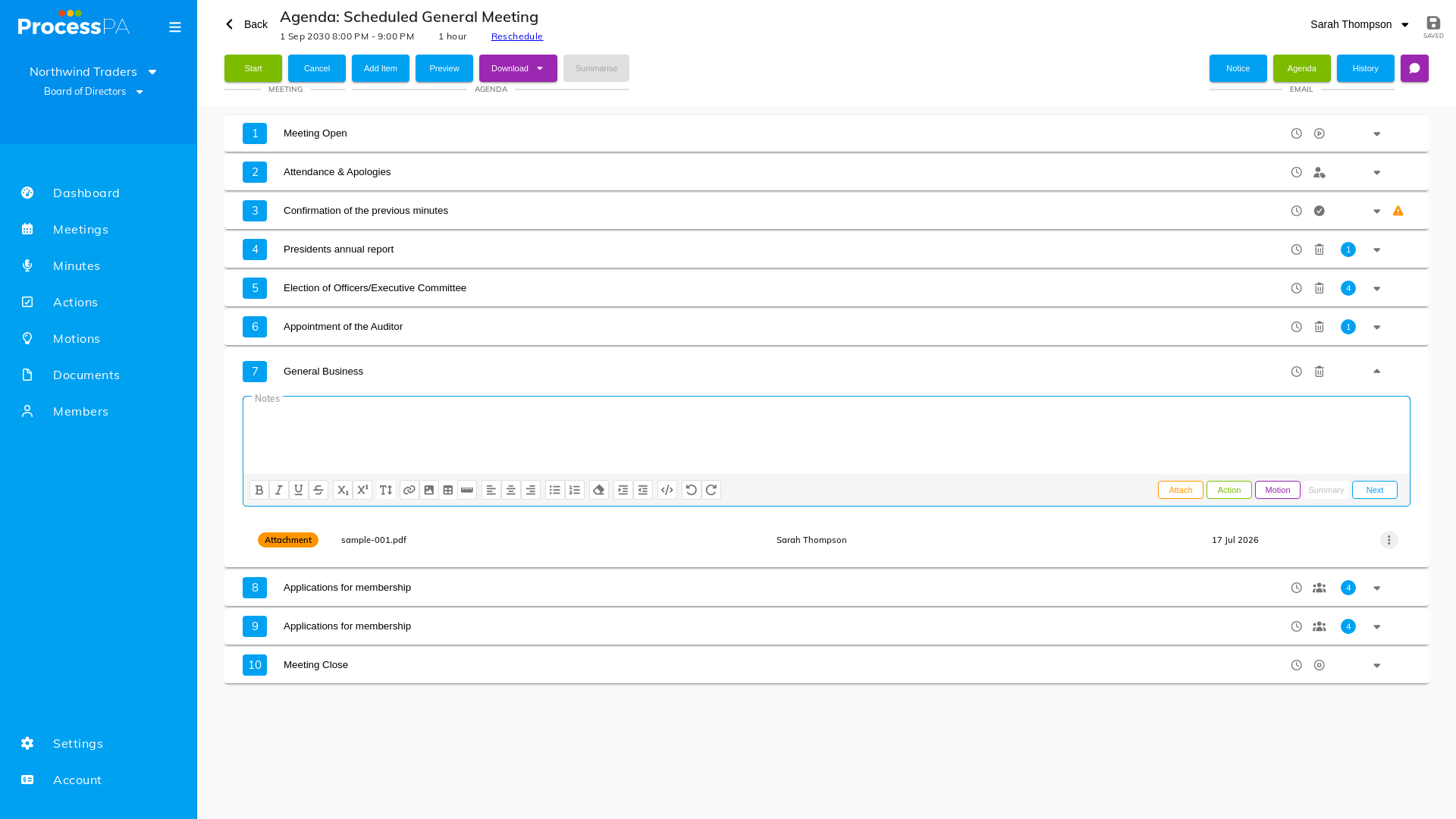
You can attach supporting documents — reports, financials, papers — directly to an agenda item. Attached documents travel with the agenda, including when it’s emailed, so members have everything they need in one place.
Step-by-Step Guide
- Open the meeting and select the agenda item.
- Choose to attach a document.
- Pick a file from your committee’s document library, or upload one. See Upload a file.
- Save. The document is now linked to that agenda item.
What happens when you send the agenda
When you email the agenda, attached documents are bundled and delivered as a ZIP pack alongside the agenda PDF and a calendar invite, so recipients receive the papers with the agenda. See Agenda and minutes attachments.
Related
Video
Page Details
Updated on July 16th, 2026