The committee dashboard
Overview
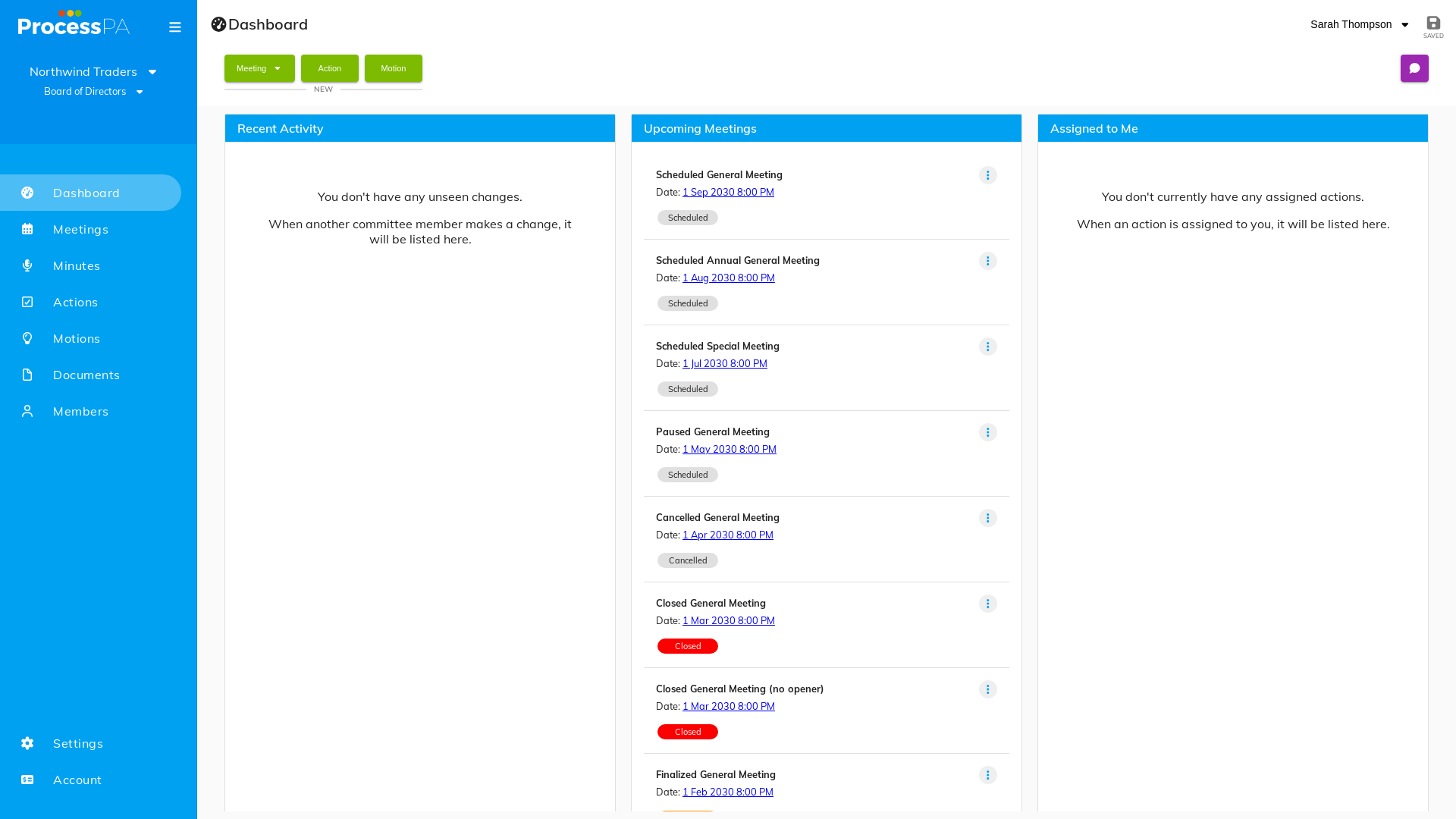
The dashboard is your committee’s home page. It brings together the panels you use most and lists your upcoming meetings so you can jump straight into the next piece of work.
What you’ll find
- Committee panels — an at-a-glance summary of your committee’s activity.
- Upcoming meetings — the meetings scheduled ahead, most recent first, ready to open.
Step-by-Step Guide
1. Open your committee
- Log in at https://app.processpa.com/.
- If you belong to more than one organisation, choose the one you want to work in. See Switch between organisations.
2. Read the dashboard
- The dashboard loads with its panels populated and your upcoming meetings listed.
3. Jump into a meeting
- Select an upcoming meeting to open it and start preparing the agenda, or use the menu bar to reach Members, Documents, Minutes, Motions or Actions.
Tips
- The dashboard is the quickest route to your next meeting — start here each session.
- The menu bar at the top of every page takes you to the other areas of your committee.
Video
Page Details
Updated on July 16th, 2026