Assign and complete action items
Overview
Action items are how work gets done between meetings. Process PA lets you assign an action to one or more people — or to a whole sub-committee — notify them automatically, and let them mark it complete straight from their email. This guide covers assigning, chasing and closing off actions.
Assign an action
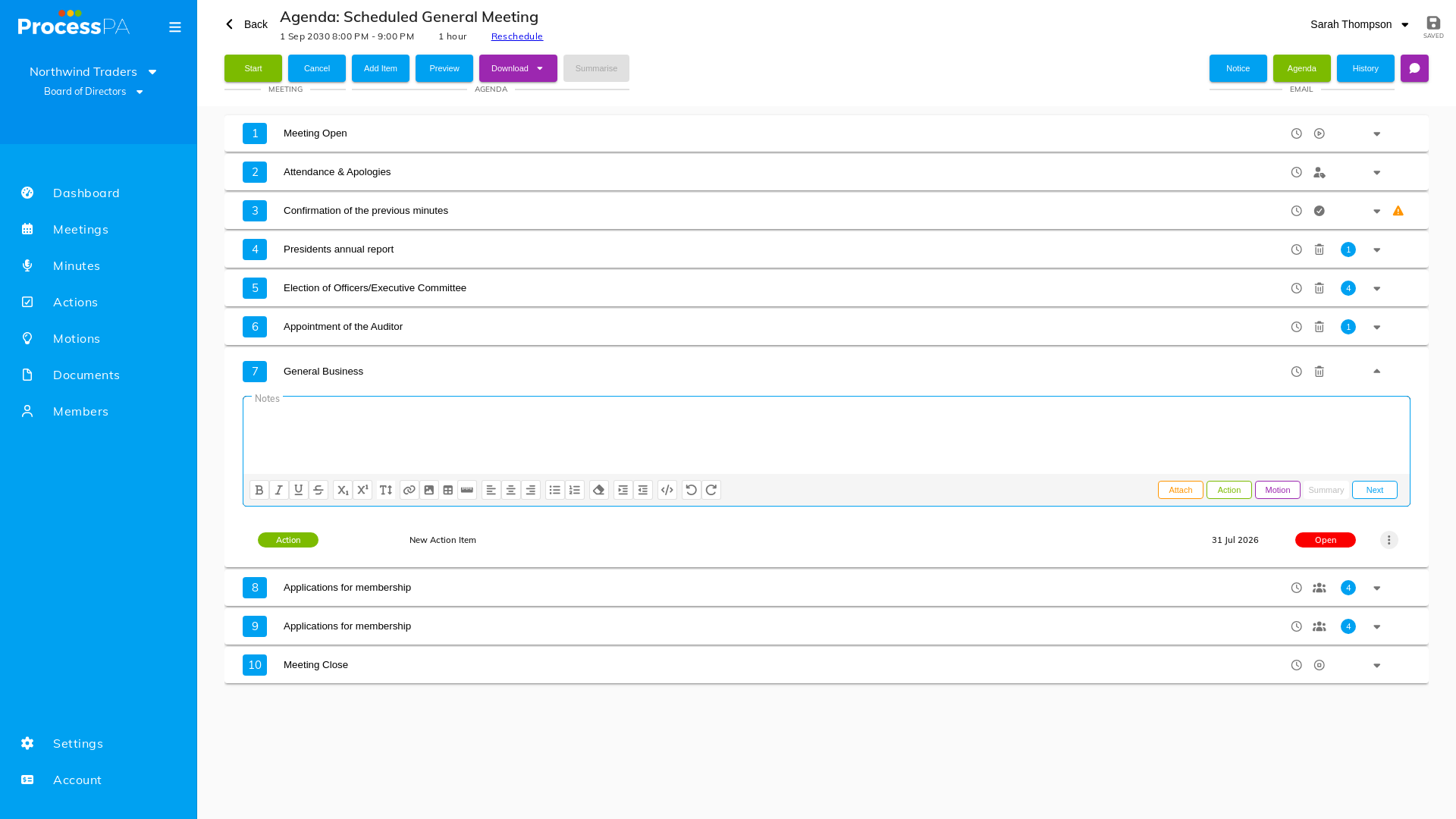
- Open the action item on its agenda item.
- In the Assigned To field, choose one or more members. Start typing to filter, or click to select from the list.
- You can also assign to a sub-committee as the assignee.
- Save. Assignees are shown inline during the meeting and in the outstanding actions on the Schedule.
When the meeting ends, each assignee is emailed their action. Actions assigned to a sub-committee are emailed to that sub-committee’s members, copied into the sub-committee with a link back to the original, and added to its carry-forward list.
Complete an action from email
The notification email includes a link that lets the assigned member mark the action complete directly — no need to log in and find it.
Send a reminder for outstanding actions
- Open the Outstanding Actions section.
- Select Send to email the assignees of all open actions a reminder.
- Confirm in the dialog to send.
Cancel an action
If an action is no longer needed, set its status to Cancelled. This keeps it in the minutes as a clear record that it was raised, while marking it as no longer active — it isn’t deleted.
Related
Video
Page Details
Updated on July 17th, 2026